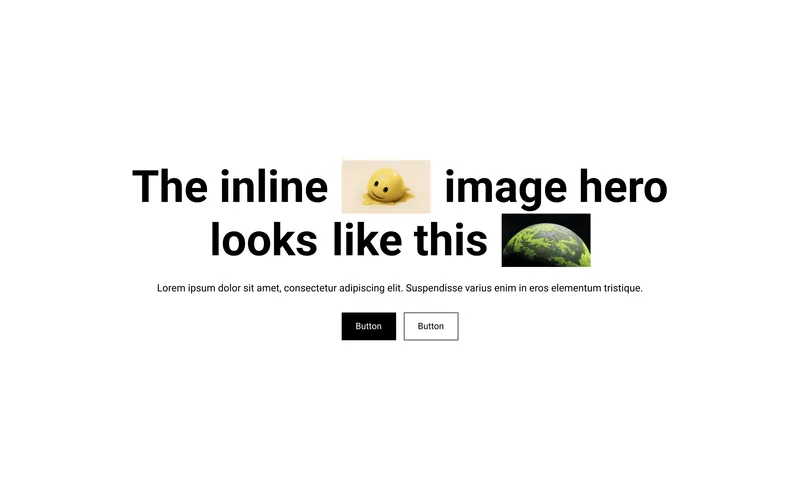
 Inline Image HeroA hero section with images embedded directly inside the heading text.Hero

What you can change
Anchor-Based Positioning
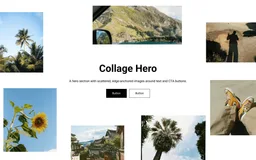
Each image snaps to an edge — Left, Right, Top, or Bottom — with X and Y offsets that control distance from the anchor. Images stay anchored as the viewport changes, keeping the collage balanced.
Separate Mobile Controls
Every image has independent width, X offset, and Y offset settings for mobile, plus a "Hide on Mobile" toggle to remove specific images on smaller screens.
Viewport Height Sizing
Section height is set in vh units (50–100vh) with separate desktop and mobile controls, so the hero always fills the right proportion of the screen.
Layout and Style Controls
Adjustable border radius across all images, global hover toggle, per-button base and hover color controls, separate heading and description size controls for desktop and mobile, adjustable content width per breakpoint, and full section padding.
Accessibility
Semantic HTML with proper image alt attributes and ARIA labels on all interactive elements.
Usage notes
How to Position Images in the Collage
Add Image blocks. In the Theme Customizer, add one or more "Image" blocks to the section. Each block has an image picker, alt text, and an optional link.
Choose an anchor. Set the Anchor setting to Left, Right, Top, or Bottom. This locks the image to that edge of the section — it won't drift as the viewport resizes.
Adjust offsets. Use the X Offset and Y Offset sliders to position the image relative to its anchor. For example, a Left-anchored image with X: 5% and Y: 20% sits 5% from the left edge and 20% from the top.
Configure mobile separately. Each image has independent Mobile Width, Mobile X Offset, and Mobile Y Offset settings. Use the "Hide on Mobile" toggle to remove images that don't work on small screens.
Layer your collage. Add multiple images with different anchors to build a scattered, editorial layout around your headline.
Tip: Start with 4–6 images anchored to different edges. Preview on both desktop and mobile, and use "Hide on Mobile" for any images that overlap or clutter the mobile layout.
props-collage-hero.liquid
{%- comment -%} Image Collage Hero | PROPS — https://props.tools/{%- endcomment -%} {% schema %}{ "name": "Image Collage Hero", "tag": "section", "class": "props-collage-hero", "disabled_on": { "groups": ["header", "custom.popups"] }, "settings": [ { "type": "header", "content": "Layout" }, { "type": "range", "id": "section_height_desktop", "min": 50, "max": 100, "step": 5, "unit": "vh", "label": "Section Height", "default": 80 }, { "type": "range", "id": "section_height_mobile", "min": 50, "max": 100, "step": 5, "unit": "vh", "label": "Section Height (Mobile)", "default": 70 }, { "type": "range", "id": "content_width_desktop", "min": 30, "max": 70, "step": 2, "unit": "%", "label": "Content Width", "default": 44 }, { "type": "range", "id": "content_width_mobile", "min": 50, "max": 100, "step": 2, "unit": "%", "label": "Content Width (Mobile)", "default": 84 }, { "type": "header", "content": "Content" }, { "type": "text", "id": "heading", "label": "Heading", "default": "What a beautiful collage hero section." }, { "type": "richtext", "id": "description", "label": "Description", "default": "<p>Write your long, rich-text description here.</p>" }, { "type": "header", "content": "Typography" }, { "type": "select", "id": "heading_tag", "label": "Heading Level", "options": [ { "value": "h1", "label": "H1" }, { "value": "h2", "label": "H2" }, { "value": "h3", "label": "H3" } ], "default": "h1", "info": "Use H1 only once per page (usually the first section)." }, { "type": "range", "id": "heading_size_desktop", "min": 24, "max": 80, "step": 2, "unit": "px", "label": "Heading Size", "default": 48 }, { "type": "range", "id": "heading_size_mobile", "min": 20, "max": 48, "step": 2, "unit": "px", "label": "Heading Size (Mobile)", "default": 32 }, { "type": "range", "id": "body_size_desktop", "min": 12, "max": 24, "step": 1, "unit": "px", "label": "Description Size", "default": 16 }, { "type": "range", "id": "body_size_mobile", "min": 12, "max": 20, "step": 1, "unit": "px", "label": "Description Size (Mobile)", "default": 14 }, { "type": "header", "content": "Image Settings" }, { "type": "range", "id": "image_radius", "min": 0, "max": 24, "step": 2, "unit": "px", "label": "Image Border Radius", "default": 8 }, { "type": "checkbox", "id": "enable_hover", "label": "Enable Hover Effect", "default": true }, { "type": "header", "content": "Button Style" }, { "type": "range", "id": "button_radius", "min": 0, "max": 30, "step": 2, "unit": "px", "label": "Button Border Radius", "default": 4 }, { "type": "header", "content": "Section Padding" }, { "type": "range", "id": "padding_vertical_desktop", "min": 0, "max": 120, "step": 4, "unit": "px", "label": "Vertical Padding", "default": 80 }, { "type": "range", "id": "padding_horizontal_desktop", "min": 0, "max": 120, "step": 4, "unit": "px", "label": "Horizontal Padding", "default": 40 }, { "type": "range", "id": "padding_vertical_mobile", "min": 0, "max": 80, "step": 4, "unit": "px", "label": "Vertical Padding (Mobile)", "default": 40 }, { "type": "range", "id": "padding_horizontal_mobile", "min": 0, "max": 80, "step": 4, "unit": "px", "label": "Horizontal Padding (Mobile)", "default": 20 }, { "type": "header", "content": "Colors" }, { "type": "color", "id": "bg_color", "label": "Background Color", "default": "#FFFFFF" }, { "type": "color", "id": "text_color", "label": "Text Color", "default": "#121212" } ], "blocks": [ { "type": "image", "name": "Image", "settings": [ { "type": "image_picker", "id": "image", "label": "Image" }, { "type": "text", "id": "alt_text", "label": "Alt Text" }, { "type": "url", "id": "link", "label": "Link" }, { "type": "checkbox", "id": "hide_mobile", "label": "Hide on Mobile", "default": false }, { "type": "header", "content": "Size" }, { "type": "range", "id": "width_desktop", "min": 80, "max": 400, "step": 10, "unit": "px", "label": "Width", "default": 150 }, { "type": "range", "id": "width_mobile", "min": 50, "max": 250, "step": 10, "unit": "px", "label": "Width (Mobile)", "default": 90 }, { "type": "header", "content": "Anchor" }, { "type": "select", "id": "anchor", "label": "Anchor", "options": [ { "value": "left", "label": "Left" }, { "value": "top", "label": "Top" }, { "value": "right", "label": "Right" }, { "value": "bottom", "label": "Bottom" } ], "default": "top" }, { "type": "header", "content": "Position" }, { "type": "range", "id": "x_desktop", "min": -10, "max": 110, "step": 2, "unit": "%", "label": "X Offset", "default": 50 }, { "type": "range", "id": "y_desktop", "min": -10, "max": 110, "step": 2, "unit": "%", "label": "Y Offset", "default": 4 }, { "type": "header", "content": "Position (Mobile)" }, { "type": "range", "id": "x_mobile", "min": -10, "max": 110, "step": 2, "unit": "%", "label": "X Offset (Mobile)", "default": 50 }, { "type": "range", "id": "y_mobile", "min": -10, "max": 110, "step": 2, "unit": "%", "label": "Y Offset (Mobile)", "default": 4 } ] }, { "type": "button", "name": "Button", "settings": [ { "type": "text", "id": "label", "label": "Label", "default": "Button" }, { "type": "url", "id": "link", "label": "Link" }, { "type": "select", "id": "style", "label": "Style", "options": [ { "value": "filled", "label": "Filled" }, { "value": "outline", "label": "Outline" } ], "default": "filled" }, { "type": "header", "content": "Colors" }, { "type": "color", "id": "button_bg", "label": "Button Color", "default": "#121212" }, { "type": "color", "id": "button_text", "label": "Text Color", "default": "#FFFFFF", "info": "Applies to filled style. Outline uses Button Color for text." }, { "type": "color", "id": "hover_bg", "label": "Hover Color", "default": "#333333" }, { "type": "color", "id": "hover_text", "label": "Hover Text Color", "default": "#FFFFFF" } ] } ], "presets": [ { "name": "Image Collage Hero", "blocks": [ { "type": "image", "settings": { "anchor": "left", "width_desktop": 190, "width_mobile": 160, "x_desktop": -2, "y_desktop": 14, "x_mobile": -8, "y_mobile": 8 } }, { "type": "image", "settings": { "anchor": "left", "width_desktop": 170, "width_mobile": 90, "x_desktop": 2, "y_desktop": 44, "x_mobile": -6, "y_mobile": 38 } }, { "type": "image", "settings": { "anchor": "left", "width_desktop": 180, "width_mobile": 100, "x_desktop": -2, "y_desktop": 76, "x_mobile": -8, "y_mobile": 72 } }, { "type": "image", "settings": { "anchor": "right", "width_desktop": 200, "width_mobile": 140, "x_desktop": -2, "y_desktop": 16, "x_mobile": -8, "y_mobile": 10 } }, { "type": "image", "settings": { "anchor": "right", "width_desktop": 200, "width_mobile": 90, "x_desktop": 2, "y_desktop": 48, "x_mobile": -6, "y_mobile": 40 } }, { "type": "image", "settings": { "anchor": "right", "width_desktop": 160, "width_mobile": 100, "x_desktop": -2, "y_desktop": 76, "x_mobile": -8, "y_mobile": 68 } }, { "type": "image", "settings": { "anchor": "bottom", "width_desktop": 220, "width_mobile": 100, "x_desktop": 36, "y_desktop": -10, "x_mobile": 34, "y_mobile": 0 } }, { "type": "image", "settings": { "anchor": "bottom", "width_desktop": 190, "width_mobile": 100, "x_desktop": 66, "y_desktop": -2, "x_mobile": 66, "y_mobile": 2 } }, { "type": "button", "settings": { "label": "Button", "style": "filled", "button_bg": "#121212", "button_text": "#FFFFFF", "hover_bg": "#333333", "hover_text": "#FFFFFF" } }, { "type": "button", "settings": { "label": "Button", "style": "outline", "button_bg": "#121212", "button_text": "#FFFFFF", "hover_bg": "#121212", "hover_text": "#FFFFFF" } } ] } ]}{% endschema %} {% style %} .props-collage-hero-{{ section.id }} { position: relative; overflow: hidden; background-color: {{ section.settings.bg_color }}; color: {{ section.settings.text_color }}; min-height: {{ section.settings.section_height_mobile }}vh; display: flex; align-items: center; justify-content: center; padding: {{ section.settings.padding_vertical_mobile }}px {{ section.settings.padding_horizontal_mobile }}px; --props-heading-size: {{ section.settings.heading_size_mobile }}px; --props-body-size: {{ section.settings.body_size_mobile }}px; --props-content-width: {{ section.settings.content_width_mobile }}%; --props-image-radius: {{ section.settings.image_radius }}px; --props-button-radius: {{ section.settings.button_radius }}px; } @media screen and (min-width: 750px) { .props-collage-hero-{{ section.id }} { min-height: {{ section.settings.section_height_desktop }}vh; padding: {{ section.settings.padding_vertical_desktop }}px {{ section.settings.padding_horizontal_desktop }}px; --props-heading-size: {{ section.settings.heading_size_desktop }}px; --props-body-size: {{ section.settings.body_size_desktop }}px; --props-content-width: {{ section.settings.content_width_desktop }}%; } } .props-collage-hero-content { position: relative; z-index: 2; width: var(--props-content-width); max-width: 100%; text-align: center; } .props-collage-hero-heading { color: inherit; margin: 0 0 16px 0; font-size: var(--props-heading-size); line-height: 1.15; font-weight: 700; } .props-collage-hero-description { margin: 0; } .props-collage-hero-description p { margin: 0 0 16px 0; font-size: var(--props-body-size); line-height: 1.5; opacity: 0.8; } .props-collage-hero-description a { color: inherit; text-decoration: underline; text-underline-offset: 0.3em; } .props-collage-hero-description p:last-child { margin-bottom: 0; } .props-collage-hero-buttons { display: flex; gap: 12px; justify-content: center; flex-wrap: wrap; margin-top: 28px; } .props-collage-hero-btn { display: inline-flex; align-items: center; justify-content: center; padding: 12px 24px; font-size: 15px; font-weight: 500; text-decoration: none; border-radius: var(--props-button-radius); cursor: pointer; border: 1.5px solid var(--btn-bg); line-height: 1; transition: background-color 0.3s ease, color 0.3s ease, border-color 0.3s ease; } .props-collage-hero-btn-filled { background-color: var(--btn-bg); color: var(--btn-text); } .props-collage-hero-btn-outline { background-color: transparent; color: var(--btn-bg); } @media (hover: hover) { .props-collage-hero-btn:hover { background-color: var(--btn-hover-bg); color: var(--btn-hover-text); border-color: var(--btn-hover-bg); } } .props-collage-hero-image { position: absolute; z-index: 1; overflow: hidden; border-radius: var(--props-image-radius); } .props-collage-hero-image-link { display: block; } .props-collage-hero-image:focus-within { outline: 2px solid #FFFFFF; outline-offset: 2px; box-shadow: 0 0 0 4px #121212; } .props-collage-hero-image img, .props-collage-hero-image svg { width: 100%; height: auto; display: block; object-fit: cover; backface-visibility: hidden; } .props-collage-hero-placeholder { aspect-ratio: 4 / 3; } {% if section.settings.enable_hover %} @media (prefers-reduced-motion: no-preference) { .props-collage-hero-{{ section.id }} .props-collage-hero-image img, .props-collage-hero-{{ section.id }} .props-collage-hero-image svg { transition: transform 0.3s ease; } } @media (hover: hover) and (prefers-reduced-motion: no-preference) { .props-collage-hero-{{ section.id }} .props-collage-hero-image:hover img, .props-collage-hero-{{ section.id }} .props-collage-hero-image:hover svg { transform: scale(1.10); } } {% endif %} {% for block in section.blocks %} {% if block.type == 'image' %} .props-collage-hero-{{ section.id }} .props-collage-hero-image-{{ block.id }} { {% if block.settings.hide_mobile %} display: none; {% endif %} width: {{ block.settings.width_mobile }}px; {% case block.settings.anchor %} {% when 'left' %} left: {{ block.settings.x_mobile }}%; top: {{ block.settings.y_mobile }}%; transform: translateY(-50%); {% when 'right' %} right: {{ block.settings.x_mobile }}%; top: {{ block.settings.y_mobile }}%; transform: translateY(-50%); {% when 'top' %} left: {{ block.settings.x_mobile }}%; top: {{ block.settings.y_mobile }}%; transform: translateX(-50%); {% when 'bottom' %} left: {{ block.settings.x_mobile }}%; bottom: {{ block.settings.y_mobile }}%; transform: translateX(-50%); {% endcase %} } @media screen and (min-width: 750px) { .props-collage-hero-{{ section.id }} .props-collage-hero-image-{{ block.id }} { {% if block.settings.hide_mobile %}display: block;{% endif %} width: {{ block.settings.width_desktop }}px; {% case block.settings.anchor %} {% when 'left' %} left: {{ block.settings.x_desktop }}%; top: {{ block.settings.y_desktop }}%; {% when 'right' %} right: {{ block.settings.x_desktop }}%; top: {{ block.settings.y_desktop }}%; {% when 'top' %} left: {{ block.settings.x_desktop }}%; top: {{ block.settings.y_desktop }}%; {% when 'bottom' %} left: {{ block.settings.x_desktop }}%; bottom: {{ block.settings.y_desktop }}%; {% endcase %} } } {% endif %} {% endfor %}{% endstyle %} <div class="props-collage-hero-{{ section.id }}" data-section-type="props-collage-hero" data-section-id="{{ section.id }}"> {% for block in section.blocks %} {% if block.type == 'image' %} {%- liquid assign image_name = block.settings.alt_text | default: block.settings.image.alt | strip if block.settings.image == blank assign image_name = '' endif assign has_link = false if block.settings.link != blank and image_name != blank assign has_link = true endif -%} <div class="props-collage-hero-image props-collage-hero-image-{{ block.id }}" {{ block.shopify_attributes }}> {%- if has_link -%} <a href="{{ block.settings.link }}" class="props-collage-hero-image-link"> {%- else -%} <div style="display: contents;"> {%- endif -%} {% if block.settings.image != blank %} {{ block.settings.image | image_url: width: 800 | image_tag: loading: 'lazy', class: 'props-collage-hero-img', alt: block.settings.alt_text | default: block.settings.image.alt, widths: '200, 400, 600, 800', sizes: '400px' }} {% else %} {{ 'image' | placeholder_svg_tag: 'props-collage-hero-img props-collage-hero-placeholder' | replace: '<svg', '<svg aria-hidden="true" focusable="false"' }} {% endif %} {%- if has_link -%} </a> {%- else -%} </div> {%- endif -%} </div> {% endif %} {% endfor %} <div class="props-collage-hero-content"> {% if section.settings.heading != blank %} {%- assign heading_tag = section.settings.heading_tag | default: 'h1' -%} <{{ heading_tag }} class="props-collage-hero-heading">{{ section.settings.heading | escape }}</{{ heading_tag }}> {% endif %} {% if section.settings.description != blank %} <div class="props-collage-hero-description">{{ section.settings.description }}</div> {% endif %} {%- liquid assign has_buttons = false for block in section.blocks if block.type == 'button' and block.settings.label != blank assign has_buttons = true break endif endfor -%} {% if has_buttons %} <div class="props-collage-hero-buttons"> {% for block in section.blocks %} {% if block.type == 'button' and block.settings.label != blank %} {%- if block.settings.link != blank -%} {%- assign button_tag = 'a' -%} {%- else -%} {%- assign button_tag = 'span' -%} {%- endif -%} <{{ button_tag }} {% if block.settings.link != blank %}href="{{ block.settings.link }}"{% endif %} class="props-collage-hero-btn props-collage-hero-btn-{{ block.settings.style }}" style="--btn-bg: {{ block.settings.button_bg }}; --btn-text: {{ block.settings.button_text }}; --btn-hover-bg: {{ block.settings.hover_bg }}; --btn-hover-text: {{ block.settings.hover_text }};" {{ block.shopify_attributes }} > {{ block.settings.label | escape }} </{{ button_tag }}> {% endif %} {% endfor %} </div> {% endif %} </div> </div> before you paste
Questions,
answered.
Do I need an app to add the Image Collage Hero?
No. The Image Collage Hero is one Liquid file, props-collage-hero.liquid, that you add to your theme’s code. Its styles, and its script where it has one, live inside that file, so there’s nothing to install and no monthly fee.
How do I place the images around the heading?
Each image is its own block with the edge it anchors to, and a width and an X and Y offset set separately for desktop and mobile. Any image can link somewhere, and any image can be hidden on mobile.
Will it work with my theme?
It works with Online Store 2.0 themes, the kind that let you add sections to any page from the theme editor. We test every section on Dawn. If it clashes with your theme, use Report an issue at the top of this page.
More like this
All sectionsInline Image HeroA hero section with images embedded directly inside the heading text.Hero