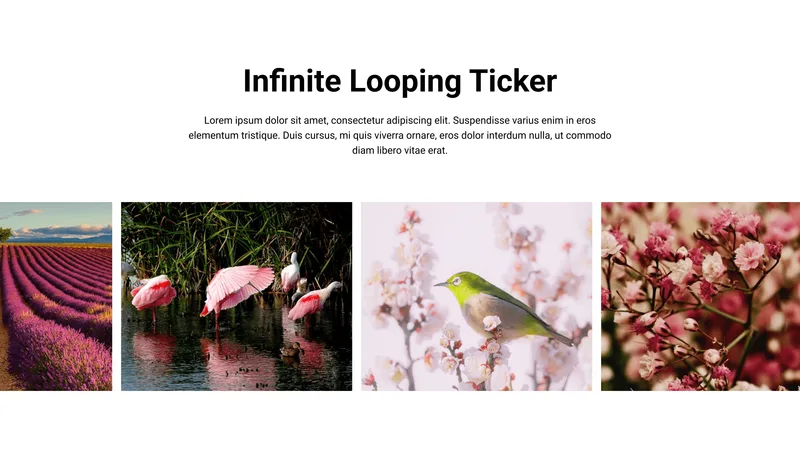
 Scrolling MarqueeInfinite-scrolling horizontal ticker for images, text, or a mix of both.Interactive

What you can change
Draggable Comparison Handle
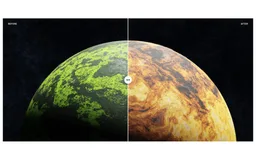
A vertical handle with a circular grip and directional arrows. Drag with mouse or touch to reveal the before/after difference. Includes keyboard arrow key support.
Entrance Animation
On first scroll into view, the handle smoothly animates from the edge to its starting position.
Customizable Labels
Toggle "Before" and "After" labels with custom text, independent desktop/mobile font sizes, and separate text and background color controls. Labels fade out during interaction.
Layout and Style Controls
Set the initial slider position (10–90%), choose from multiple aspect ratios (Auto, Square, Portrait, Landscape, Widescreen, Standard), adjustable border radius, full desktop/mobile padding controls, background color, and handle color.
Accessibility
Semantic ARIA slider role with aria-valuenow, aria-valuetext, and keyboard navigation with arrow keys. prefers-reduced-motion disables the entrance animation.
props-before-after.liquid
{%- comment -%} Before and After Slider | PROPS — https://props.tools/{%- endcomment -%} {% schema %}{ "name": "Before and After Slider", "tag": "section", "class": "props-before-after", "disabled_on": { "groups": ["header", "custom.popups"] }, "settings": [ { "type": "header", "content": "Images" }, { "type": "image_picker", "id": "image_before", "label": "Before Image (Left)" }, { "type": "text", "id": "alt_before", "label": "Before Image Alt Text", "info": "Leave blank to use the image's own alt text from Shopify." }, { "type": "image_picker", "id": "image_after", "label": "After Image (Right)" }, { "type": "text", "id": "alt_after", "label": "After Image Alt Text", "info": "Leave blank to use the image's own alt text from Shopify." }, { "type": "header", "content": "Labels" }, { "type": "checkbox", "id": "show_labels", "label": "Show Labels", "default": true }, { "type": "text", "id": "label_before", "label": "Before Label", "default": "Before" }, { "type": "text", "id": "label_after", "label": "After Label", "default": "After" }, { "type": "select", "id": "label_position", "label": "Label Position", "options": [ { "value": "top", "label": "Top" }, { "value": "bottom", "label": "Bottom" } ], "default": "bottom" }, { "type": "range", "id": "label_size_desktop", "min": 10, "max": 28, "step": 1, "unit": "px", "label": "Label Font Size", "default": 14 }, { "type": "range", "id": "label_size_mobile", "min": 10, "max": 22, "step": 1, "unit": "px", "label": "Label Font Size (Mobile)", "default": 12 }, { "type": "color", "id": "label_color", "label": "Label Text Color", "default": "#FFFFFF" }, { "type": "color", "id": "label_bg_color", "label": "Label Background", "default": "#000000" }, { "type": "header", "content": "Handle" }, { "type": "color", "id": "handle_color", "label": "Handle / Grip Color", "default": "#FFFFFF" }, { "type": "color", "id": "handle_arrow_color", "label": "Arrow Color", "default": "#000000" }, { "type": "range", "id": "initial_position", "min": 10, "max": 90, "step": 5, "unit": "%", "label": "Initial Position", "default": 50 }, { "type": "header", "content": "Image" }, { "type": "select", "id": "aspect_ratio", "label": "Aspect Ratio", "options": [ { "value": "auto", "label": "Auto (Original)" }, { "value": "1/1", "label": "Square (1:1)" }, { "value": "2/3", "label": "Portrait (2:3)" }, { "value": "3/2", "label": "Landscape (3:2)" }, { "value": "16/9", "label": "Widescreen (16:9)" }, { "value": "4/3", "label": "Standard (4:3)" } ], "default": "16/9" }, { "type": "range", "id": "border_radius", "min": 0, "max": 32, "step": 2, "unit": "px", "label": "Border Radius", "default": 0 }, { "type": "header", "content": "Section" }, { "type": "color", "id": "bg_color", "label": "Background Color", "default": "transparent" }, { "type": "range", "id": "padding_vertical_desktop", "min": 0, "max": 120, "step": 4, "unit": "px", "label": "Vertical Padding", "default": 40 }, { "type": "range", "id": "padding_horizontal_desktop", "min": 0, "max": 120, "step": 4, "unit": "px", "label": "Horizontal Padding", "default": 40 }, { "type": "range", "id": "padding_vertical_mobile", "min": 0, "max": 80, "step": 4, "unit": "px", "label": "Vertical Padding (Mobile)", "default": 20 }, { "type": "range", "id": "padding_horizontal_mobile", "min": 0, "max": 80, "step": 4, "unit": "px", "label": "Horizontal Padding (Mobile)", "default": 20 } ], "presets": [ { "name": "Before and After Slider" } ]}{% endschema %} {% style %} .props-before-after-{{ section.id }} { background-color: {{ section.settings.bg_color }}; padding-top: {{ section.settings.padding_vertical_mobile }}px; padding-bottom: {{ section.settings.padding_vertical_mobile }}px; --props-pd-h-m: {{ section.settings.padding_horizontal_mobile }}px; --props-pd-h-d: {{ section.settings.padding_horizontal_desktop }}px; --props-ba-handle-color: {{ section.settings.handle_color }}; --props-ba-handle-arrow-color: {{ section.settings.handle_arrow_color }}; --props-ba-label-color: {{ section.settings.label_color }}; --props-ba-label-bg: {{ section.settings.label_bg_color }}; --props-ba-label-size: {{ section.settings.label_size_mobile }}px; --props-ba-radius: {{ section.settings.border_radius }}px; --props-ba-position: {{ section.settings.initial_position }}%; } @media screen and (min-width: 750px) { .props-before-after-{{ section.id }} { padding-top: {{ section.settings.padding_vertical_desktop }}px; padding-bottom: {{ section.settings.padding_vertical_desktop }}px; --props-ba-label-size: {{ section.settings.label_size_desktop }}px; } } .props-before-after-container { width: 100%; max-width: var(--page-width, 1200px); margin: 0 auto; padding-left: var(--props-pd-h-m); padding-right: var(--props-pd-h-m); box-sizing: border-box; } @media screen and (min-width: 750px) { .props-before-after-container { padding-left: var(--props-pd-h-d); padding-right: var(--props-pd-h-d); } } .props-before-after-wrapper { position: relative; overflow: hidden; border-radius: var(--props-ba-radius); width: 100%; user-select: none; -webkit-user-select: none; touch-action: pan-y; cursor: ew-resize; } {% unless section.settings.aspect_ratio == 'auto' %} .props-before-after-{{ section.id }} .props-before-after-wrapper { aspect-ratio: {{ section.settings.aspect_ratio }}; } {% endunless %} .props-before-after-wrapper:focus-visible { outline: 2px solid var(--props-ba-handle-color); outline-offset: 4px; box-shadow: 0 0 0 6px #000; } .props-before-after-layer { position: absolute; top: 0; left: 0; width: 100%; height: 100%; } .props-before-after-layer--before { z-index: 1; clip-path: inset(0 calc(100% - var(--props-ba-position)) 0 0); } .props-before-after-layer--after { z-index: 0; } .props-before-after-img { display: block; width: 100%; height: 100%; object-fit: cover; } .props-before-after-placeholder { aspect-ratio: 1200 / 630; } {% if section.settings.aspect_ratio == 'auto' %} .props-before-after-{{ section.id }} .props-before-after-layer--after { position: relative; } .props-before-after-{{ section.id }} .props-before-after-img--after { visibility: hidden; } .props-before-after-{{ section.id }} .props-before-after-img--after-visible { visibility: visible; position: absolute; top: 0; left: 0; } {% endif %} .props-before-after-handle { position: absolute; top: 0; left: var(--props-ba-position); transform: translateX(-50%); width: 3px; height: 100%; background-color: var(--props-ba-handle-color); z-index: 3; pointer-events: none; transition: none; } .props-before-after-handle::before, .props-before-after-handle::after { content: ''; position: absolute; left: 50%; transform: translateX(-50%); width: 0; height: 0; } .props-before-after-grip { position: absolute; top: 50%; left: 50%; transform: translate(-50%, -50%); width: 44px; height: 44px; border-radius: 50%; background-color: var(--props-ba-handle-color); display: flex; align-items: center; justify-content: center; gap: 6px; box-shadow: 0 2px 8px rgba(0, 0, 0, 0.3); pointer-events: none; } .props-before-after-grip-arrow { display: block; width: 0; height: 0; border-style: solid; } .props-before-after-grip-arrow--left { border-width: 5px 7px 5px 0; border-color: transparent var(--props-ba-handle-arrow-color) transparent transparent; } .props-before-after-grip-arrow--right { border-width: 5px 0 5px 7px; border-color: transparent transparent transparent var(--props-ba-handle-arrow-color); } .props-before-after-label { position: absolute; z-index: 4; padding: 6px 14px; font-size: var(--props-ba-label-size); font-weight: 600; letter-spacing: 0.04em; text-transform: uppercase; color: var(--props-ba-label-color); background-color: var(--props-ba-label-bg); border-radius: 4px; pointer-events: none; opacity: 0; transition: opacity 0.35s ease; line-height: 1.3; white-space: nowrap; } .props-before-after-wrapper.is-ready .props-before-after-label { opacity: 0.85; } .props-before-after-wrapper.is-active .props-before-after-label { opacity: 0; } .props-before-after-{{ section.id }} .props-before-after-label { {% if section.settings.label_position == 'top' %} top: 16px; {% else %} bottom: 16px; {% endif %} } .props-before-after-label--before { left: 16px; } .props-before-after-label--after { right: 16px; } @media screen and (max-width: 749px) { .props-before-after-label { padding: 4px 10px; } .props-before-after-{{ section.id }} .props-before-after-label { {% if section.settings.label_position == 'top' %} top: 12px; {% else %} bottom: 12px; {% endif %} } .props-before-after-label--before { left: 12px; } .props-before-after-label--after { right: 12px; } .props-before-after-grip { width: 36px; height: 36px; gap: 4px; } .props-before-after-grip-arrow--left { border-width: 4px 6px 4px 0; } .props-before-after-grip-arrow--right { border-width: 4px 0 4px 6px; } } .props-before-after-wrapper.is-animating .props-before-after-handle, .props-before-after-wrapper.is-animating .props-before-after-layer--before { transition: left 0.6s cubic-bezier(0.22, 0.61, 0.36, 1), clip-path 0.6s cubic-bezier(0.22, 0.61, 0.36, 1); } @media (prefers-reduced-motion: reduce) { .props-before-after-wrapper.is-animating .props-before-after-handle, .props-before-after-wrapper.is-animating .props-before-after-layer--before { transition: none; } }{% endstyle %} {%- liquid assign before_alt = section.settings.alt_before | default: section.settings.image_before.alt | default: 'Before image' assign before_alt = before_alt | escape assign after_alt = section.settings.alt_after | default: section.settings.image_after.alt | default: 'After image' assign after_alt = after_alt | escape assign after_img_class = 'props-before-after-img' if section.settings.aspect_ratio == 'auto' assign after_img_class = 'props-before-after-img props-before-after-img--after-visible' endif-%} <div class="props-before-after-{{ section.id }}" data-section-type="props-before-after" data-section-id="{{ section.id }}"> <div class="props-before-after-container"> <div class="props-before-after-wrapper" id="props-ba-{{ section.id }}" role="slider" tabindex="0" aria-label="Before and after image comparison slider" aria-valuemin="0" aria-valuemax="100" aria-valuenow="{{ section.settings.initial_position }}" aria-valuetext="{{ section.settings.initial_position }} percent showing before image" data-initial="{{ section.settings.initial_position }}" > <div class="props-before-after-layer props-before-after-layer--after"> {% if section.settings.image_after != blank %} {% if section.settings.aspect_ratio == 'auto' %} {{ section.settings.image_after | image_url: width: 2000 | image_tag: loading: 'lazy', class: 'props-before-after-img props-before-after-img--after', alt: after_alt, widths: '375, 550, 750, 1100, 1500, 2000', sizes: '100vw' }} {% endif %} {{ section.settings.image_after | image_url: width: 2000 | image_tag: loading: 'lazy', class: after_img_class, alt: after_alt, widths: '375, 550, 750, 1100, 1500, 2000', sizes: '100vw' }} {% else %} {% if section.settings.aspect_ratio == 'auto' %} {{ 'image' | placeholder_svg_tag: 'props-before-after-img props-before-after-img--after props-before-after-placeholder' | replace: '<svg', '<svg aria-hidden="true" focusable="false"' }} {% endif %} {%- capture after_placeholder_class -%}{{ after_img_class }} props-before-after-placeholder{%- endcapture -%} {{ 'image' | placeholder_svg_tag: after_placeholder_class | replace: '<svg', '<svg aria-hidden="true" focusable="false"' }} {% endif %} </div> <div class="props-before-after-layer props-before-after-layer--before"> {% if section.settings.image_before != blank %} {{ section.settings.image_before | image_url: width: 2000 | image_tag: loading: 'lazy', class: 'props-before-after-img', alt: before_alt, widths: '375, 550, 750, 1100, 1500, 2000', sizes: '100vw' }} {% else %} {{ 'image' | placeholder_svg_tag: 'props-before-after-img props-before-after-placeholder' | replace: '<svg', '<svg aria-hidden="true" focusable="false" style="filter: brightness(1.15) contrast(0.9);"' }} {% endif %} </div> <div class="props-before-after-handle" id="props-ba-handle-{{ section.id }}"> <div class="props-before-after-grip"> <span class="props-before-after-grip-arrow props-before-after-grip-arrow--left"></span> <span class="props-before-after-grip-arrow props-before-after-grip-arrow--right"></span> </div> </div> {% if section.settings.show_labels %} {% if section.settings.label_before != blank %} <span class="props-before-after-label props-before-after-label--before" aria-hidden="true"> {{ section.settings.label_before | escape }} </span> {% endif %} {% if section.settings.label_after != blank %} <span class="props-before-after-label props-before-after-label--after" aria-hidden="true"> {{ section.settings.label_after | escape }} </span> {% endif %} {% endif %} </div> </div></div> {% javascript %}(function () { var init = function (container) { var id = container.getAttribute('data-section-id'); if (!id) return; if (container._propsBeforeAfterCleanup) container._propsBeforeAfterCleanup(); var wrapper = document.getElementById('props-ba-' + id); if (!wrapper) return; var handle = document.getElementById('props-ba-handle-' + id); var beforeLayer = wrapper.querySelector('.props-before-after-layer--before'); if (!handle || !beforeLayer) return; var initialPos = parseFloat(wrapper.getAttribute('data-initial')) || 50; var currentPos = 0; var isDragging = false; var wrapperRect = null; var hasAnimated = false; var observer = null; var animateTimer = null; var removers = []; var on = function (target, eventName, handler, options) { target.addEventListener(eventName, handler, options); removers.push(function () { target.removeEventListener(eventName, handler, options); }); }; var clamp = function (val, min, max) { return Math.min(max, Math.max(min, val)); }; var setPosition = function (pct) { currentPos = clamp(pct, 0, 100); wrapper.style.setProperty('--props-ba-position', currentPos + '%'); wrapper.setAttribute('aria-valuenow', Math.round(currentPos)); wrapper.setAttribute('aria-valuetext', Math.round(currentPos) + ' percent showing before image'); }; setPosition(0); var animateIn = function () { if (hasAnimated) return; hasAnimated = true; wrapper.classList.add('is-animating'); setPosition(initialPos); animateTimer = setTimeout(function () { wrapper.classList.remove('is-animating'); wrapper.classList.add('is-ready'); }, 650); }; if ('IntersectionObserver' in window) { observer = new IntersectionObserver( function (entries) { entries.forEach(function (entry) { if (entry.isIntersecting) { animateIn(); observer.unobserve(wrapper); } }); }, { threshold: 0.25 } ); observer.observe(wrapper); } else { animateIn(); } var getPosition = function (clientX) { if (!wrapperRect) wrapperRect = wrapper.getBoundingClientRect(); var x = clientX - wrapperRect.left; return (x / wrapperRect.width) * 100; }; var onStart = function (clientX) { isDragging = true; wrapperRect = wrapper.getBoundingClientRect(); wrapper.classList.add('is-active'); if (!wrapper.classList.contains('is-ready')) { wrapper.classList.add('is-ready'); } setPosition(getPosition(clientX)); }; var onMove = function (clientX) { if (!isDragging) return; setPosition(getPosition(clientX)); }; var onEnd = function () { if (!isDragging) return; isDragging = false; wrapperRect = null; wrapper.classList.remove('is-active'); }; on(wrapper, 'mousedown', function (e) { e.preventDefault(); onStart(e.clientX); }); on(document, 'mousemove', function (e) { if (!isDragging) return; e.preventDefault(); onMove(e.clientX); }); on(document, 'mouseup', onEnd); on( wrapper, 'touchstart', function (e) { if (e.touches.length === 1) { onStart(e.touches[0].clientX); } }, { passive: true } ); on( document, 'touchmove', function (e) { if (!isDragging) return; if (e.touches.length === 1) { onMove(e.touches[0].clientX); } }, { passive: true } ); on(document, 'touchend', onEnd); on(document, 'touchcancel', onEnd); on(wrapper, 'keydown', function (e) { var moves = { ArrowLeft: -2, Left: -2, ArrowDown: -2, Down: -2, ArrowRight: 2, Right: 2, ArrowUp: 2, Up: 2, PageDown: -10, PageUp: 10 }; if (e.key in moves) { e.preventDefault(); setPosition(currentPos + moves[e.key]); } else if (e.key === 'Home') { e.preventDefault(); setPosition(0); } else if (e.key === 'End') { e.preventDefault(); setPosition(100); } }); container._propsBeforeAfterCleanup = function () { removers.forEach(function (remove) { remove(); }); if (observer) observer.disconnect(); clearTimeout(animateTimer); container._propsBeforeAfterCleanup = null; }; }; document.querySelectorAll('[data-section-type="props-before-after"]').forEach(init); document.addEventListener('shopify:section:load', function (e) { var c = e.target.querySelector('[data-section-type="props-before-after"]'); if (c) init(c); }); document.addEventListener('shopify:section:unload', function (e) { var c = e.target.querySelector('[data-section-type="props-before-after"]'); if (c && c._propsBeforeAfterCleanup) c._propsBeforeAfterCleanup(); });})();{% endjavascript %} before you paste
Questions,
answered.
Do I need an app to add the Before and After Slider?
No. The Before and After Slider is one Liquid file, props-before-after.liquid, that you add to your theme’s code. Its styles, and its script where it has one, live inside that file, so there’s nothing to install and no monthly fee.
Can I change the Before and After labels?
Yes. Both labels are plain text, so they can say anything, such as a date or a product name. You can put them at the top or bottom of the image, change their size and colours, or turn them off.
Where does the slider handle start?
In the middle. The Initial Position setting starts it anywhere from 10% to 90% across the image.
Will it work with my theme?
It works with Online Store 2.0 themes, the kind that let you add sections to any page from the theme editor. We test every section on Dawn. If it clashes with your theme, use Report an issue at the top of this page.
More like this
All sectionsScrolling MarqueeInfinite-scrolling horizontal ticker for images, text, or a mix of both.Interactive